Function Parameters and Returns معاملات الدوال البرمجية وقيم الإرجاع
Learning Outcomes مخرجات التعلم
- Define functions that accept multiple parameters (arguments).
- Pass variables into functions dynamically during execution.
- Use the 'return' statement to output processed data back to the main program.
- Capture and utilize returned values to update lists or print outputs.
- تعريف دوال برمجية تستقبل معاملات متعددة (Parameters).
- تمرير متغيرات وقيم حقيقية (Arguments) إلى الدوال ديناميكياً أثناء التنفيذ.
- استخدام جملة الإرجاع 'return' لإخراج البيانات المعالجة من الدالة إلى البرنامج الرئيسي.
- استقبال واستخدام القيم الراجعة من الدوال لتحديث القوائم أو طباعة المخرجات.
1. Parameters vs Arguments
Functions become much more useful when we can pass data into them. We do this using **parameters** and **arguments**:
- Parameters: The placeholder variables listed inside the parentheses in the
function's definition header (e.g.
aandbindef add(a, b):). - Arguments: The actual, concrete values you pass into the function when you call
it (e.g.
5and10inadd(5, 10)).
# a and b are parameters
def show_sum(a, b):
    print(f"Sum: {a + b}")

# 5 and 10 are arguments passed to the parameters a and b
show_sum(5, 10) # Outputs: Sum: 15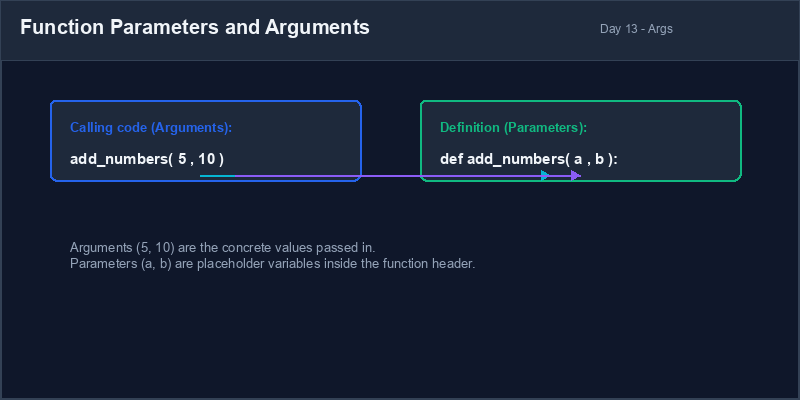
Return Statement: A special statement (
return) that terminates a
function and sends a resulting value back to the caller.
2. The Return Statement Pipeline
So far, our functions have only printed results to the console. However, a function often needs to
process data and send the result back to the main program so it can be stored in a variable or used in
further calculations. We do this using the return statement.
When Python encounters a return statement, it stops executing the function immediately
and passes the specified value back to the line of code that called the function.
# Returning a value
def multiply(x, y):
    return x * y # Returns the product to the caller

result = multiply(4, 5) # result gets assigned the value 20
print(result) # Outputs: 20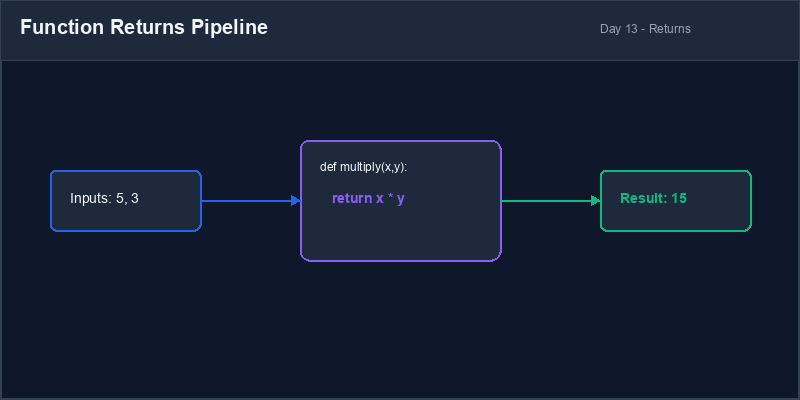
3. Capturing and Utilizing Return Values
If you call a function that returns a value but do not assign it to a variable or print it, that returned value is simply discarded. To use it, you must capture it:
def calculate_tax(amount):
    return amount * 0.15

# Capturing the returned tax value
tax_amount = calculate_tax(100)
total_cost = 100 + tax_amount
print(f"Total is: {total_cost}") # Outputs: Total is: 115.0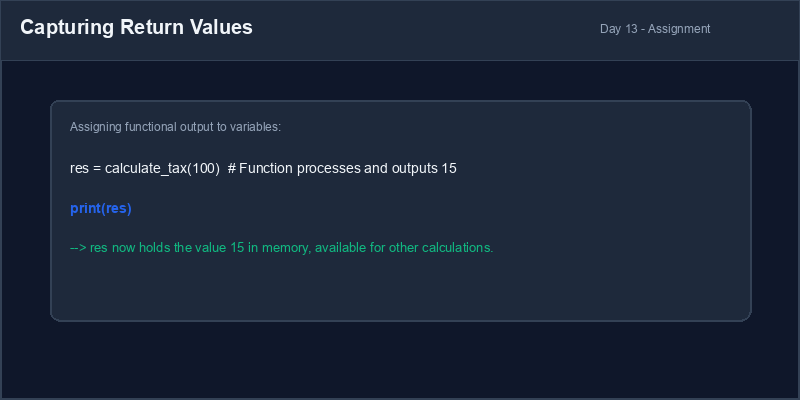
Code after return: Any code placed inside a function *after* a
return statement will never run. The return keyword exits the function
immediately.
4. Resolving Return vs Print Logical Bugs
Beginners often confuse print() and return. Printing displays a value on
the screen, but does not allow variables to capture it.
def add(x, y):
    print(x + y) # Just prints, returns None!

ans = add(5, 5)
final = ans * 2 # CRASHES! TypeError: unsupported operand type for NoneTypedef add(x, y):
return x + y # Correctly outputs value
ans = add(5, 5)
final = ans * 2 # Works! final is 201. المعاملات (Parameters) مقابل القيم الممررة (Arguments)
تصبح الدوال أكثر فائدة عندما نتمكن من تمرير البيانات إليها. نقوم بذلك باستخدام المعاملات و القيم الحقيقية:
- المعاملات (Parameters): متغيرات نكتبها كحوافظ مكانية داخل قوسي رأس تعريف الدالة
(مثال:
aوbفيdef add(a, b):). - القيم الممررة (Arguments): القيم الحقيقية والفعلية التي نمررها للدالة عند
استدعائها (مثال:
5و10فيadd(5, 10)).
# a و b هما المعاملان
def show_sum(a, b):
    print(f"Sum: {a + b}")

# 5 و 10 هما القيمتان الممررتان للمعاملين a و b
show_sum(5, 10) # المخرج: Sum: 15جملة الإرجاع (Return Statement): جملة خاصة (
return) تنهي عمل الدالة
وتعيد القيمة الناتجة عنها إلى مكان استدعائها.
2. آلية عمل جملة الإرجاع (Return)
حتى الآن، كانت دوالنا تطبع النتائج فقط في لوحة التحكم. ومع ذلك، تحتاج الدالة في كثير من الأحيان
لمعالجة البيانات وإرسال النتيجة للبرنامج الرئيسي لحفظها في متغير أو استخدامها في حسابات أخرى. نقوم
بذلك باستخدام جملة return.
عندما تواجه بايثون جملة return، فإنها توقف تنفيذ الدالة فوراً وتمرر القيمة المحددة إلى
السطر الذي استدعى الدالة.
# إرجاع القيمة
def multiply(x, y):
    return x * y # تعيد ناتج الضرب لمكان الاستدعاء

result = multiply(4, 5) # يتم تخصيص القيمة 20 للمتغير result
print(result) # المخرج: 203. استقبال واستخدام القيم الراجعة
إذا استدعيت دالة تعيد قيمة ولكنك لم تخصصها لمتغير أو تطبعها، فستضيع القيمة الناتجة. يجب عليك حفظها لاستخدامها:
def calculate_tax(amount):
    return amount * 0.15

# استقبال القيمة الراجعة للضريبة
tax_amount = calculate_tax(100)
total_cost = 100 + tax_amount
print(f"Total is: {total_cost}") # المخرج: Total is: 115.0الأكواد بعد return: أي كود مكتوب داخل الدالة *بعد* سطر return لن
يعمل أبداً. فأمر return ينهي عمل الدالة ويغادرها فوراً.
4. الفرق المنطقي بين الطباعة (Print) والإرجاع (Return)
يخلط المبتدئون كثيراً بين الطباعة print() والإرجاع return. تعرض الطباعة
القيمة على الشاشة فقط، ولكنها لا تمنح المتغيرات القدرة على حفظها واستخدامها.
def add(x, y):
    print(x + y) # يطبع فقط، ويعيد None افتراضياً!

ans = add(5, 5)
final = ans * 2 # يتوقف البرنامج! TypeError: unsupported operand type for NoneTypedef add(x, y):
return x + y # يعيد القيمة بشكل صحيح
ans = add(5, 5)
final = ans * 2 # يعمل بنجاح! final تساوي 10Bilingual Discount Calculator حاسبة الخصم التفاعلية
Write a script containing a function that calculates discount values and returns the net price:
- Define a function named
get_discount_price(original_price, discount_percent). - Inside the function, calculate the discount amount:
original_price * (discount_percent / 100). - Subtract the discount amount from the original price to compute the
discounted_price. - Return the
discounted_pricevalue. - Call the function passing 120 as price and 20 as discount percentage. Capture the returned value in a variable and print the final price in a descriptive f-string.
اكتب برنامجاً يحتوي على دالة تقوم بحساب نسبة الخصم وإرجاع السعر النهائي بعد التخفيض:
- عرف دالة باسم
get_discount_price(original_price, discount_percent). - احسب قيمة الخصم داخل الدالة:
original_price * (discount_percent / 100). - اطرح قيمة الخصم من السعر الأصلي لحساب السعر النهائي بعد الخصم
discounted_price. - قم بإرجاع قيمة السعر النهائي
discounted_priceباستخدامreturn. - استدعى الدالة ممرراً لها السعر 120 ونسبة الخصم 20. استقبل القيمة الراجعة في متغير واطبع السعر النهائي بجملة توضيحية.
Model Answer (Python Code)
الإجابة النموذجية (كود بايثون)
# Step 1: Define function with parameters and return
def get_discount_price(original_price, discount_percent):
    discount_amount = original_price * (discount_percent / 100)
    discounted_price = original_price - discount_amount
    return discounted_price  # Return result back to program

# Step 2: Call function and capture returned value
price = 120.0
discount = 20.0
final_price = get_discount_price(price, discount)

# Step 3: Print result
print(f"Original Price: ${price}")
print(f"Discount:       {discount}%")
print(f"Discounted Price: ${final_price}")
Run the code above in your Thonny or VS Code IDE. Inspect variable outputs and logic flow to ensure it behaves exactly as described. قم بتشغيل الكود أعلاه في بيئة Thonny أو VS Code. تتبع مخرجات المتغيرات ومسار المنطق للتأكد من عمل الكود بالشكل الصحيح.