Working with Dictionaries هياكل البيانات: القواميس (Dictionaries)
Learning Outcomes مخرجات التعلم
- Create dictionaries to store structured data using key-value pairs.
- Retrieve specific data values by calling their corresponding keys.
- Add new key-value pairs or update existing ones securely.
- Iterate through dictionary keys and values using looping constructs.
- إنشاء القواميس لتخزين البيانات المنظمة باستخدام أزواج المفاتيح والقيم (Key-Value Pairs).
- استرجاع قيم البيانات من القاموس عن طريق استدعاء مفاتيحها الخاصة.
- إضافة أزواج مفاتيح وقيم جديدة وتحديث قيم المفاتيح الحالية بأمان.
- التكرار عبر مفاتيح وقيم القاموس باستخدام آليات التكرار المتنوعة.
1. Structured Data with Key-Value Pairs
Lists are great for ordered collections, but they are not ideal for structured data. For instance, if
you want to store information about a user, a list like ["Alice", 25, "New York"] doesn't
explain what the values mean. Python provides **dictionaries** (dict) to store data as labeled
**key-value pairs**, enclosed in curly braces {}.
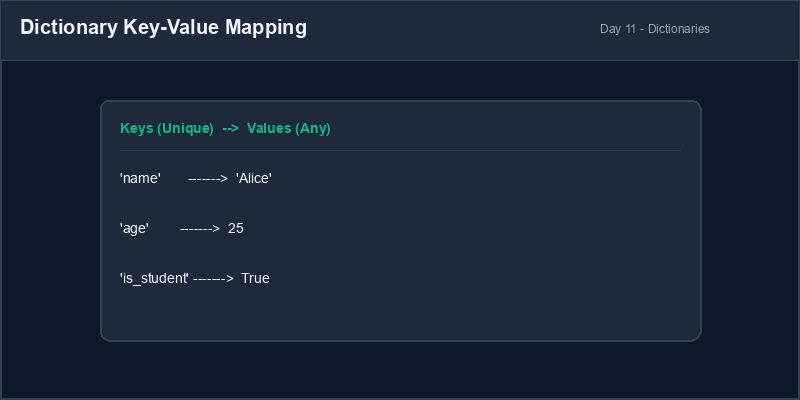
Keys act as labels to lookup values. Keys in a dictionary must be **unique** and immutable (like strings or integers), while values can be of any data type and can repeat.
# Declaring a dictionary
student = {
    "name": "Alice",
    "age": 18,
    "gpa": 3.8
}
{}.Key: A unique label used to store and look up a corresponding value in a dictionary.
2. Retrieving and Updating Dictionary Values
To access a value in a dictionary, we write the dictionary's name followed by the key in square
brackets []. If the key is not found, Python raises a KeyError. We can also
add new keys or update existing ones by assigning values to square brackets:
user = {"name": "Alice", "age": 25}
# Accessing key
print(user["name"]) # Outputs: Alice
# Updating age value
user["age"] = 26
# Adding new key-value pair
user["city"] = "Cairo"
print(user) # Outputs: {'name': 'Alice', 'age': 26, 'city': 'Cairo'}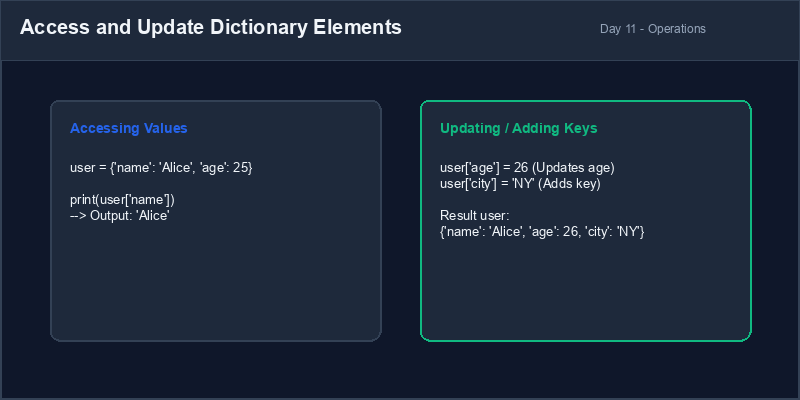
3. Looping Constructs for Dictionaries
Python provides three built-in methods to loop through dictionary data:
keys(): Loops through the dictionary's keys only.values(): Loops through the values only.items(): Loops through both keys and values simultaneously as pairs.
book = {"title": "Python 101", "author": "Tech Zero"}
# Iterating keys and values
for key, value in book.items():
    print(f"{key}: {value}")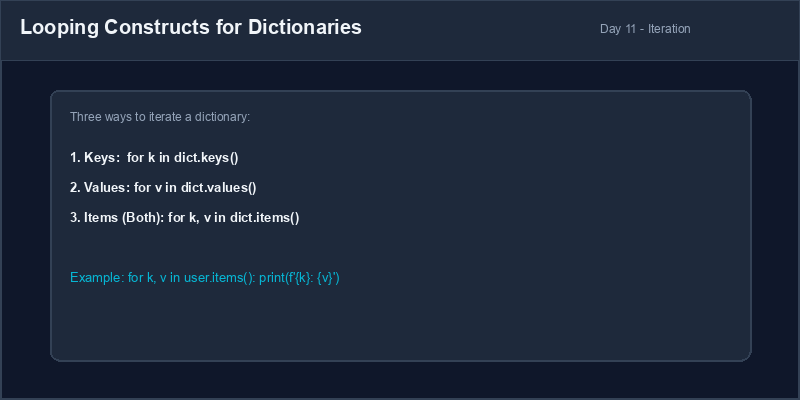
KeyError Safeguard: Attempting to read a key that doesn't exist (e.g.
user["phone"] when "phone" was never added) will crash the script. You can check if a
key is present using the in check:
if "phone" in user: print(user["phone"]).
4. Resolving Missing Key Bugs
Always inspect key existence or use the safe `.get()` method to avoid KeyError crashes.
# Crashes if "email" is not a key
profile = {"name": "Alice"}
email_val = profile["email"] # KeyError!profile = {"name": "Alice"}
# Using in check or .get()
email_val = profile.get("email", "No Email Provided")
print(email_val) # Outputs backup string safely1. تنظيم البيانات الهيكلية باستخدام أزواج المفاتيح والقيم
تعتبر القوائم ممتازة للمجموعات المرتبة، ولكنها ليست مثالية للبيانات المنظمة ذات المسميات. على سبيل
المثال، إذا أردت تخزين معلومات مستخدم، فإن استخدام قائمة مثل ["Alice", 25, "New York"] لا
يوضح معنى القيم. توفر بايثون القواميس (Dictionaries) لحفظ البيانات كأزواج من
المفاتيح والقيم (Key-Value Pairs) داخل أقواس مجعدة {}.
تعمل المفاتيح كبطاقات تعريفية للبحث عن القيم المقابلة لها. يجب أن تكون المفاتيح في القاموس فريدة وغير قابلة للتغيير (مثل النصوص والأرقام)، بينما يمكن أن تكون القيم من أي نوع وتتكرر دون قيود.
# الإعلان عن قاموس
student = {
    "name": "Alice",
    "age": 18,
    "gpa": 3.8
}{}.المفتاح (Key): علامة تعريفية فريدة تُستخدم لتخزين والبحث عن القيمة المقابلة لها داخل القاموس.
2. استرجاع وتحديث قيم القاموس
للوصول لقيمة في القاموس، نكتب اسم القاموس يليه المفتاح المطلوب بين قوسين مربعين []. إذا
لم يكن المفتاح موجوداً، سيحدث خطأ KeyError. ويمكننا إضافة مفاتيح جديدة أو تحديث المفاتيح
الحالية عن طريق التخصيص المباشر:
user = {"name": "Alice", "age": 25}
# الوصول لقيمة المفتاح
print(user["name"]) # المخرج: Alice
# تحديث قيمة العمر
user["age"] = 26
# إضافة زوج جديد
user["city"] = "Cairo"
print(user) # المخرج: {'name': 'Alice', 'age': 26, 'city': 'Cairo'}3. طرق التكرار عبر القواميس
توفر بايثون ثلاث دوال رئيسية للمرور والتكرار على القواميس:
keys(): للتكرار عبر مفاتيح القاموس فقط.values(): للتكرار عبر القيم فقط.items(): للتكرار عبر المفاتيح والقيم معاً كأزواج في نفس الوقت.
book = {"title": "Python 101", "author": "Tech Zero"}
# التكرار على المفاتيح والقيم معاً
for key, value in book.items():
print(f"{key}: {value}")خطأ المفتاح المفقود (KeyError): محاولة قراءة مفتاح غير موجود (مثل
user["phone"] دون إضافته مسبقاً) ستؤدي لتوقف البرنامج. يمكنك فحص وجود المفتاح بـ
in لتفادي ذلك: if "phone" in user: print(user["phone"]).
4. تجنب أخطاء المفاتيح المفقودة في القاموس
احرص على التحقق من وجود المفتاح أولاً أو استخدم دالة .get() الآمنة لمنع توقف الأكواد.
# يتوقف البرنامج إذا لم يكن المفتاح "email" موجوداً
profile = {"name": "Alice"}
email_val = profile["email"] # KeyError!profile = {"name": "Alice"}
# استخدام فحص وجود المفتاح أو دالة get() الآمنة
email_val = profile.get("email", "No Email Provided")
print(email_val) # يعيد القيمة البديلة المحددة بأمانInventory Price Checker مستعلم أسعار المخزون
Create a simple inventory dictionary and lookup item prices dynamically:
- Create a dictionary
pricescontaining: "apple" (0.5), "banana" (0.25), "orange" (0.75). - Ask the user to enter the name of a fruit using
input(). - Convert the input to lowercase to make it match the keys.
- Check if the fruit exists in the dictionary:
- If it does, print the price of the fruit using an f-string.
- If it doesn't, print a message saying "Sorry, we do not stock that fruit."
اكتب برنامجاً لإنشاء قاموس أسعار السلع والبحث عنها ديناميكياً:
- أنشئ قاموساً باسم
pricesيحتوي على: "apple" بسعر 0.5، و "banana" بسعر 0.25، و "orange" بسعر 0.75. - اطلب من المستخدم إدخال اسم فاكهة معينة باستخدام
input(). - حول النص المدخل لأحرف صغيرة لضمان تطابقه مع مفاتيح القاموس.
- تحقق من وجود الفاكهة في القاموس:
- إذا كانت موجودة، اطبع سعر الفاكهة باستخدام f-string.
- إذا لم تكن موجودة، اطبع رسالة "نأسف، هذه الفاكهة غير متوفرة لدينا".
Model Answer (Python Code)
الإجابة النموذجية (كود بايثون)
# Step 1: Initialize inventory dictionary
prices = {
    "apple": 0.5,
    "banana": 0.25,
    "orange": 0.75
}

# Step 2: Prompt user
fruit_input = input("Enter a fruit name to check price: ")
fruit = fruit_input.lower().strip()

# Step 3: Lookup check
if fruit in prices:
    fruit_price = prices[fruit]
    print(f"The price of {fruit} is ${fruit_price}")
else:
    print("Sorry, we do not stock that fruit.")
Run the code above in your Thonny or VS Code IDE. Inspect variable outputs and logic flow to ensure it behaves exactly as described. قم بتشغيل الكود أعلاه في بيئة Thonny أو VS Code. تتبع مخرجات المتغيرات ومسار المنطق للتأكد من عمل الكود بالشكل الصحيح.