Sequencing and Animation
- Explain the importance of chronological sequencing in script execution.
- Switch sprite costumes rapidly to create the illusion of visual animation.
- Utilize 'wait' blocks to control pacing and prevent overlapping actions.
- Combine motion blocks and look blocks to create a coordinated animation scene.
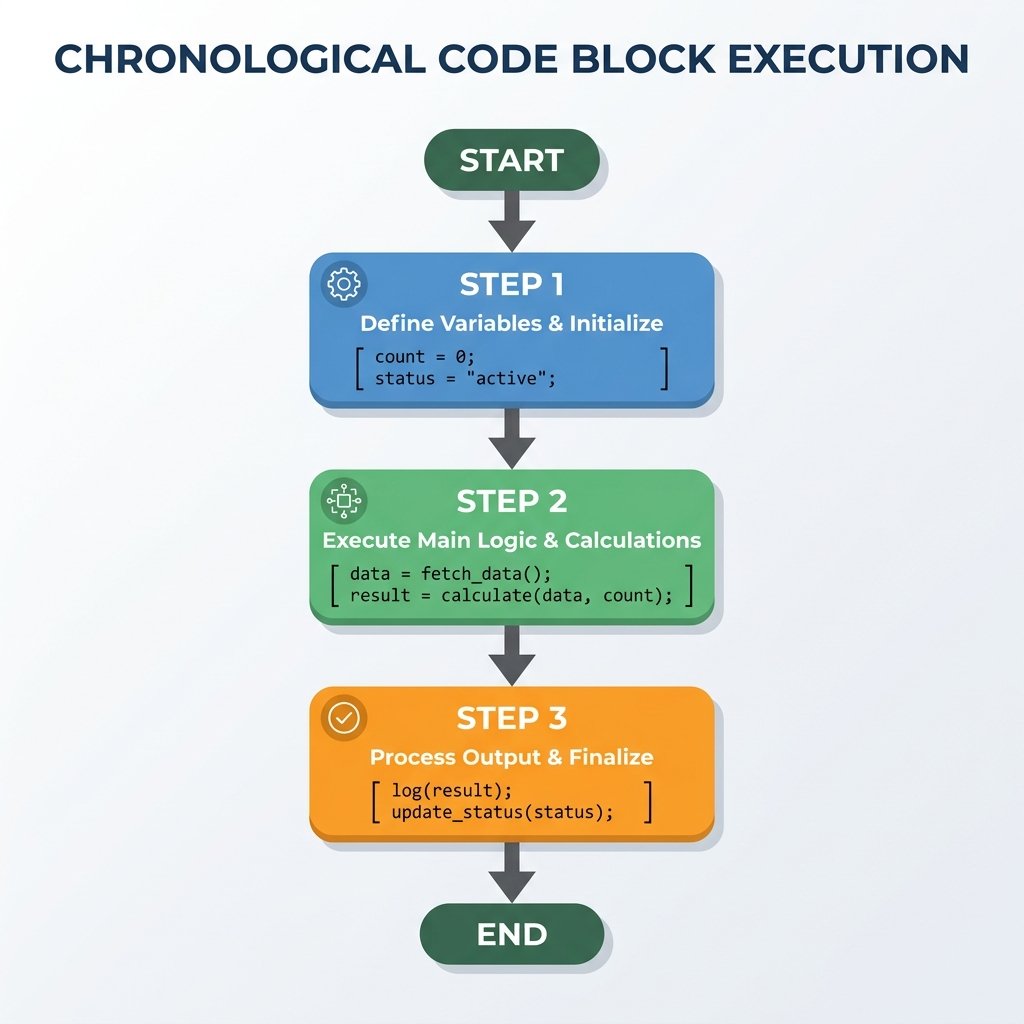
1. Explain the importance of chronological sequencing
Computers execute statements sequentially, one line at a time, from top to bottom. If you
reverse the order of instructions, the program changes behavior entirely. For example,
telling a character to say [I jumped!] and then
change y by 100 is logically different from jumping first and then
announcing it. Understanding sequence order is the core of logical programming thinking.
Chronological sequencing is similar to a baking recipe. If you bake the cake before mixing the ingredients, the result fails. In coding, if you show a character before setting its size, the visual presentation will glitch. Controlling the sequence ensures a stable, predictable output.
2. Switch sprite costumes rapidly for animation
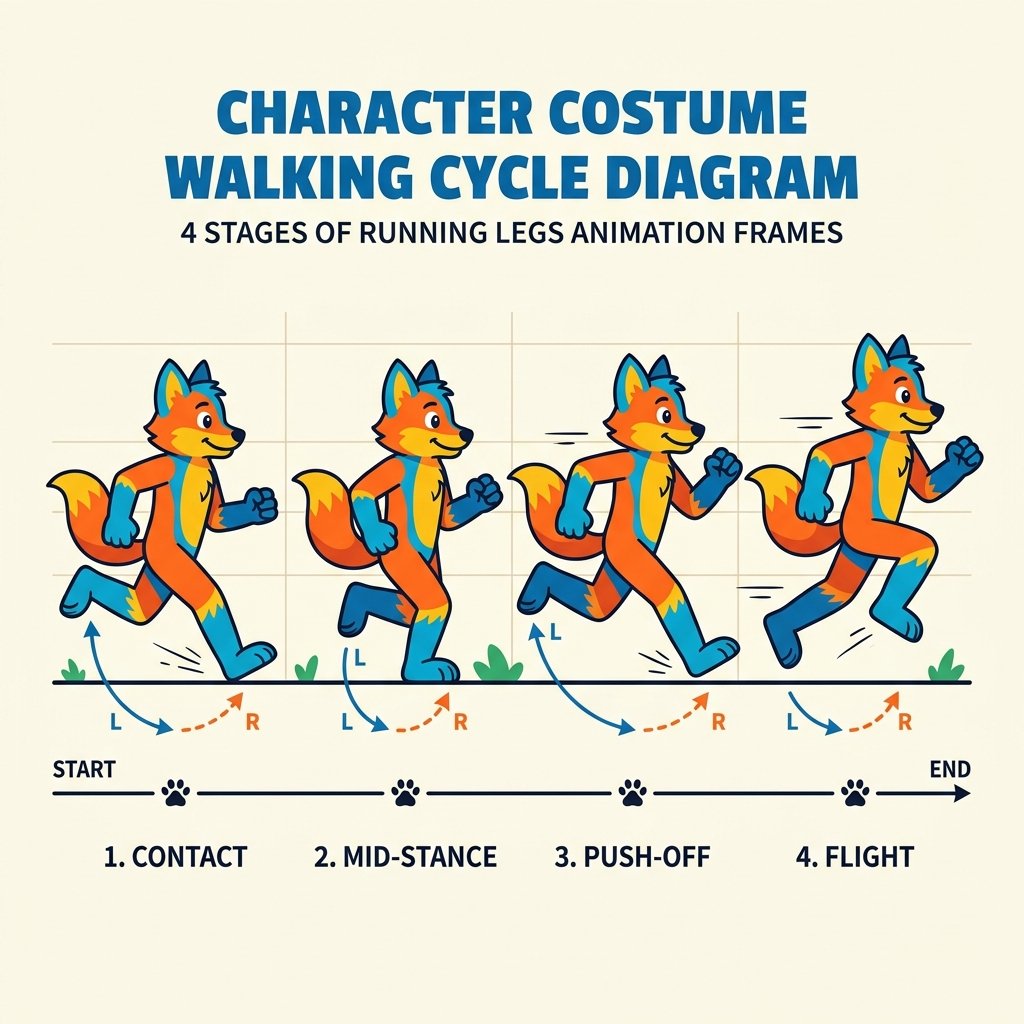
In Scratch, sprites can have multiple visual appearances called
costumes. By rapidly swapping from one costume to another, we create
the illusion of animation (similar to a paper flipbook). Using blocks like
next costume or switch costume to in sequence updates the
visual buffer, making characters walk, talk, wings flap, or machinery rotate.
An animation cycle is built by changing costumes within a timeline. If you select a sprite like 'Avery Walking' from the library, you will notice she has 4 distinct costumes showing legs in different phases of movement. Switching between these costumes sequentially generates a walk cycle.
3. Use wait blocks to control pacing
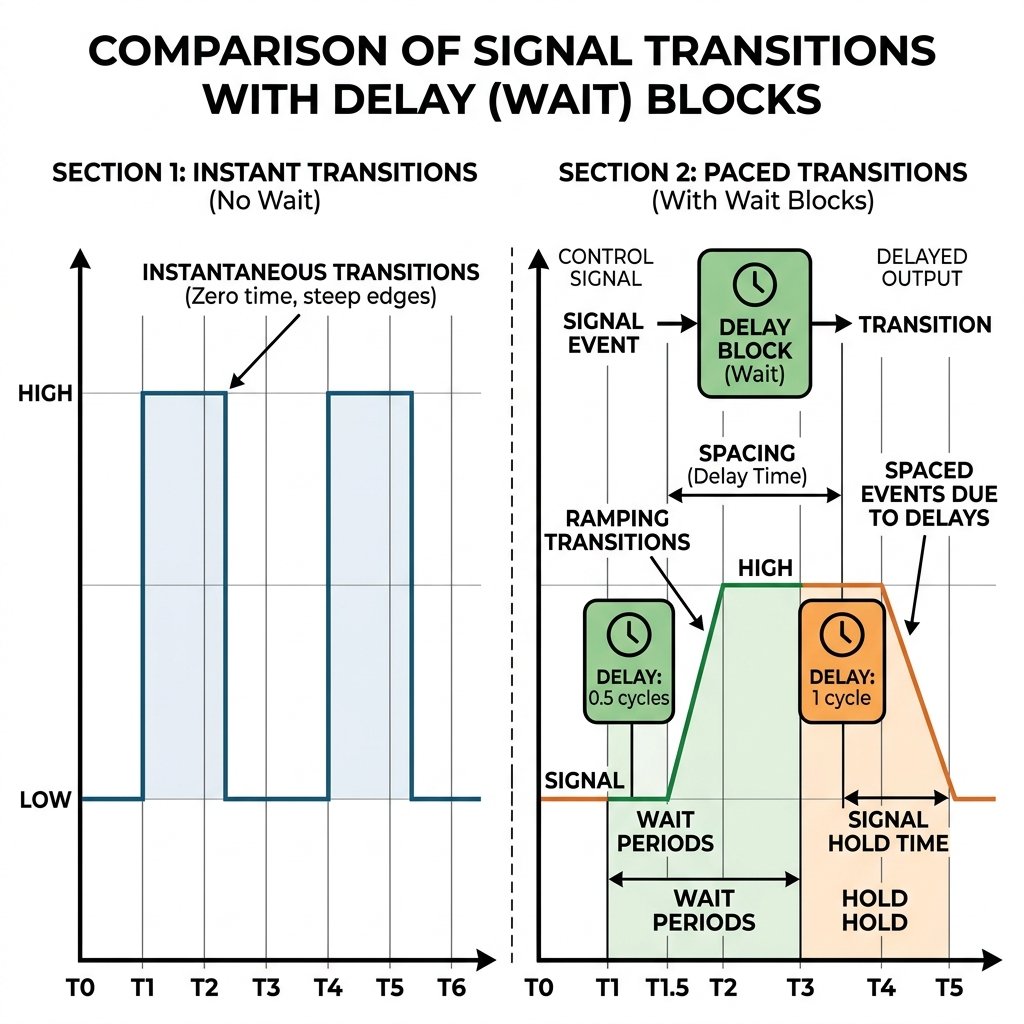
Computers run code at lightning speed, executing thousands of blocks in a fraction of a
second. If you tell a sprite to switch to Costume 1, and then immediately switch to
Costume 2, the transition happens so fast that human eyes cannot perceive it. It will
look like nothing happened. The orange wait (0.1) seconds block forces the
execution thread to pause for a designated duration, allowing the user to view each
animation frame cleanly.
Wait blocks act as the pacing control of your project. In dialogue, a wait block prevents one sprite from speaking before the other finishes. In animations, they act as the frames-per-second control, keeping the visuals smooth and visible.
4. Combine motion and looks for animation
By blending spatial movement (Motion blocks) and visual displays (Looks blocks) into a unified sequence, we build coordinated animations. For example, moving a sprite 5 steps, switching its costume, playing a sound, and showing a talk bubble in order builds a rich, character movement that feels alive rather than mechanical.
This coordination is key to interactive storytelling. It connects a character's physical actions with their emotional expression. By matching motion steps with costume switches, you make the movement look realistic, matching slide speed with leg motion.
Build a Walking Character Loop
- Choose a sprite with multiple walking costumes (e.g., 'Avery Walking' or 'Cat').
- Set the backdrop to 'Hedge' or 'Boardwalk'.
- Place a 'when green flag clicked' event block to trigger startup.
- Sequence blocks to move the character: move 10 steps, switch to the next costume, wait 0.2 seconds.
- Repeat this exact block sequence three times in a row, building a long chronological chain of blocks.
- Run your script and adjust the wait times to see the walk speed change.
Model Answer Walkthrough
- Place a starting event: [when green flag clicked] (Events Category).
- Snap the first step sequence: [move (10) steps] -> [next costume] -> [wait (0.2) seconds].
- Duplicate this block combo and snap it right below: [move (10) steps] -> [next costume] -> [wait (0.2) seconds].
- Snap a third identical group: [move (10) steps] -> [next costume] -> [wait (0.2) seconds].
- End the sequence with a closing message: [say (Walk completed!) for (1) secs].
- Observe how the character walks across the stage step-by-step, pausing briefly on each frame so you can see the legs move.